Word Search Sea: Offline Games
Malpa GamesWord
4.95.93K Reviews
- Version
- 5.24.01
- Installs
- 10.00M
- Age Rating
- Everyone
Screenshots
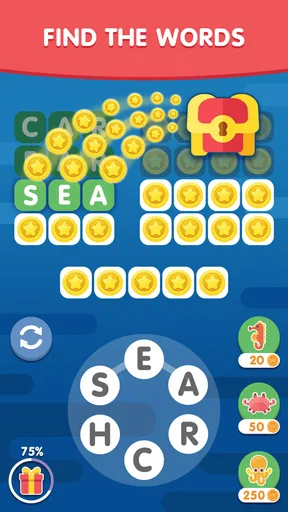
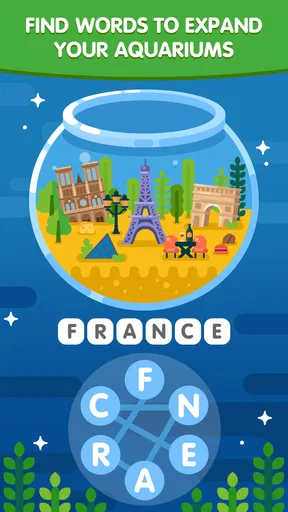
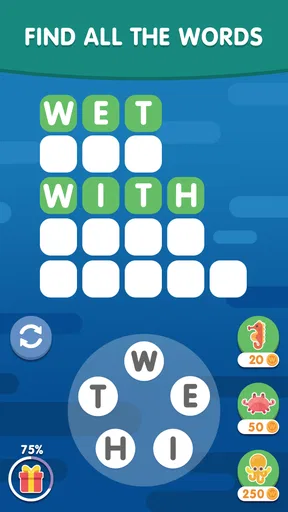


Our Review of Word Search Sea: Offline Games
 Analysis by Appyee
When I stumbled upon Word Search Sea: Puzzle Game, I was looking for something to satisfy my craving for word puzzles. After diving into the app, I found out that it's not just another word search game—it’s an ocean of fun challenges that kept me hooked for hours. Let me share my experience with you.
Diving into the Game
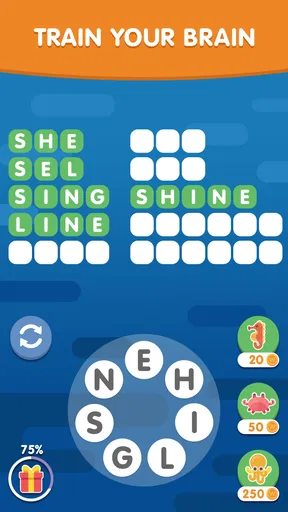
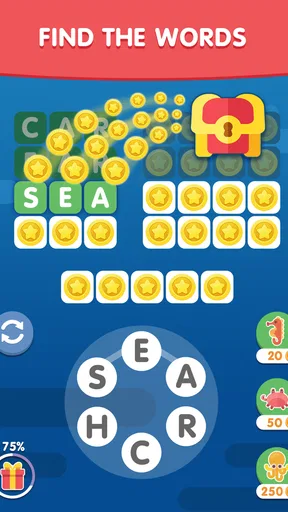
The first thing that caught my attention was the vibrant and inviting interface. Word Search Sea: Puzzle Game greets you with a splash of colors and an ocean-themed design that's easy on the eyes. Once you dive in, you’re presented with a variety of word search puzzles. The app is straightforward, making it perfect even for those who aren’t tech-savvy.
Readability and navigation in a word grid
A word search is a simple format, but the way a grid looks and responds matters when you are scanning letter after letter. I found it helpful to approach each board in short passes rather than trying to take in every line at once: check one direction, pause, then move to another. That makes the search feel less visually busy and gives your eyes a natural reset. The ocean-themed presentation adds character, though anyone who prefers a plain, high-contrast puzzle surface may find decorative color less calming than a stripped-back grid.
The controls are easy to understand, but a finger can cover letters while you trace a word. I got better results by starting at the first letter and moving deliberately toward the last instead of making a broad, quick swipe. If a selection does not register, slowing down is more useful than immediately repeating the same gesture. This is a small practical adjustment, but it can prevent a relaxing puzzle from turning into a test of patience.
Motor and sensory considerations
Because play depends on tracing words across letters, this is naturally more comfortable for someone who can make controlled touch gestures. People with limited hand mobility, tremors, or difficulty with precise swipes may find some boards tiring, especially during a longer session. I would treat it as a game to sample in brief stretches rather than assume that every puzzle will feel effortless. The hint system can help when the challenge is finding a word, but it does not remove the physical act of selecting letters.
The pace is one of the game’s strengths for players who dislike countdown pressure: I can focus on the grid without treating every move as a race. At the same time, colorful screens, repeated visual scanning, and occasional advertising interruptions may not suit someone who is sensitive to busy visuals or sudden breaks. Taking a pause between puzzles is a sensible way to keep the experience comfortable. I would also avoid judging accessibility by the simple rules alone; the actual fit depends on how the letters look and how reliably the touch interaction works for you.
For a shared household, the game can work as a quiet activity for different ages, but I would not assume that one screen setup suits everyone. A younger player may enjoy the themes and easier boards, while an older relative may prefer more time to scan and larger, clearer text. If you are considering it for someone who has particular vision or motor needs, try a puzzle together first and see whether the grid is comfortable to read and trace before making it a regular activity.
Situational access: short breaks and offline time
A realistic use case is a train ride with patchy reception: I can open a puzzle and spend a few minutes searching without needing a live connection. That makes it more convenient than word games that depend on online play, although it is still wise to open the app and make sure it is ready before travelling. Offline play is especially useful for flights, waiting rooms, and quiet moments when mobile data is unavailable or unwelcome. The game is a better fit for those small gaps than for someone looking for a long narrative or a social activity to share in real time.
For a short break, I like choosing one puzzle and stopping when it is done rather than treating the game as something that needs a long session. The daily challenges offer a reason to return, but they can also create a routine that is not necessary for enjoying the core word search. If you want a low-commitment pastime, you can simply play when you feel like it; if daily streaks or completion goals tend to feel like obligations, ignore that extra nudge and keep the game casual.
Compared with a paper word-search book, this game is easier to carry and offers hints, themes, and daily challenges, but paper avoids screen glare, touch precision, and interruptions from ads. Compared with competitive word games, it is quieter and more solitary, with less pressure to react quickly or coordinate with other people. I would choose this one for a calm solo break, but choose paper for screen-free downtime or a multiplayer game when the point is to compete with a friend.
Who will enjoy it, and who may prefer another option
I can recommend this style of play to word-search fans who want a familiar puzzle with a light ocean atmosphere, a choice of challenge, and the option to play without internet access. It also suits people who like returning to a compact daily activity instead of learning complicated rules. If you are new to word searches, starting with the easier puzzles gives you room to learn how the letter paths work before moving to tougher boards.
It is less suitable if you want a story-driven game, live competition, or a completely uninterrupted session. The existing ad interruptions can break concentration, and the in-app purchase option may matter to someone who wants to avoid spending anything beyond the free download. The game is free to start, while optional in-app purchases range from $0.99 to $47.99 per item. I would try it first and decide whether the interruptions bother you before considering a purchase; do not assume that paying is necessary to enjoy the basic word-search format.
Features that Make a Splash
One of my favorite things about this game is its variety of themes. From ocean creatures to tropical islands, each theme offers a different backdrop and set of words. It’s like taking a mini-vacation every time you play!
The difficulty levels are another aspect that stands out. Whether you’re a word search rookie or a seasoned pro, there’s a challenge waiting for you. I started with the easier levels to warm up, but soon found myself tackling the more complex puzzles, which really tested my skills.
The app also includes daily challenges, which are a perfect way to keep the game fresh. Completing these challenges rewards you with bonuses, adding an extra layer of motivation to come back each day.
One useful way to keep the game from feeling repetitive is to switch between a themed puzzle and a daily challenge rather than staying with one kind of board for a long stretch. I also recommend treating hints as a last nudge, not the first move: scan the rows and columns you tend to overlook, then use help if you are genuinely stuck. That keeps the search satisfying and makes hints more valuable when a word refuses to stand out.
There is a trade-off in the progression, too. Easier boards are good for a relaxed start, but experienced players may want to move up quickly if they already know the usual word-search patterns. Harder puzzles reward patience and systematic scanning more than frantic swiping. If you enjoy finding a deliberate search method, that is part of the appeal; if you mainly want rapid action, the slow visual hunt may feel samey.
Why You’ll Love It
Aside from the addictive gameplay, the app is super user-friendly. The controls are intuitive; you simply swipe your finger across the letters to form words. Plus, there’s a handy hint system for when you’re stuck. Trust me, I’ve used it a couple of times when the brain fog hit!
Another cool feature is the ability to play offline. This means you can enjoy word searches while on a flight or a road trip without worrying about internet connectivity. It’s a lifesaver for those long commutes.
Malpa Games made a game that stays close to the word-search format instead of piling on rules I need to remember. Its broad appeal is reflected in an average rating of 4.9 from around 579,000 ratings, with over 10 million installs. Those figures suggest many people have found it worth trying, but my recommendation still depends on what you want from a puzzle: it is the calm, solo search that works best here, not a deep strategy system or a social contest.
The game is rated for Everyone, which makes its basic word-finding premise approachable for a wide range of players. That does not mean every screen or interaction will be equally comfortable for every person. I would still check the grid readability and swipe response on the device you plan to use, especially if the player has specific vision or dexterity needs. The minimum operating system is version 8.0, and the current version is 5.08.07, details worth checking against an older device before installing.
One small habit that helps on a phone is to hold it steady and use the hand position that gives your tracing finger the clearest view of the letters. If you tend to play while walking or juggling other tasks, save it for when you can stop: split attention makes it easier to miss words and harder to trace accurately. The same advice applies to a dim commute or a bright outdoor seat; a grid-based puzzle is most comfortable when you can see the letters without straining.
Room for Improvement
While I thoroughly enjoyed the game, there are a few areas that could use some polishing. For instance, the ads can sometimes pop up a bit too frequently, which can disrupt the flow of the game. However, there’s an option to remove ads through an in-app purchase, which might be worth considering if you’re a frequent player.
Additionally, a multiplayer feature could add a competitive edge to the game. Imagine challenging your friends to see who can find words the fastest. It would definitely make the game even more engaging.
Those interruptions are more than a minor annoyance if you use the game to settle into a quiet moment or if an unexpected break makes it harder to refocus. If uninterrupted concentration is essential, a paper puzzle book is the safer choice. Likewise, someone who finds finger tracing uncomfortable may be better served by a word game with a different input style. The best reason to choose this app is that its simple searching feels enjoyable despite those limits, not because it replaces every kind of word puzzle.
The ocean artwork and color-led themes give the game its identity, but they are also a matter of taste. Players who want a minimalist interface may prefer a plain word-search app, while those who like a little visual scenery will likely find the setting welcoming. I would not choose it for a player who needs a highly adjustable display unless they have already tested the screen and found it comfortable; familiarity with word searches alone does not guarantee a good visual fit.
Final Thoughts
All in all, Word Search Sea: Puzzle Game is a delightful and engaging app that offers hours of entertainment. Whether you’re looking to relax after a long day or sharpen your mind with some challenging puzzles, this game has something for everyone. The charming ocean theme and varied difficulty levels make it a standout choice for word lovers.
If you’re ready to dive into a sea of words, give this app a try. Who knows, you might just find yourself as hooked as I am!
My inclusive verdict is positive, with a practical caveat: the game’s simple rules, offline use, and flexible puzzle difficulty make it easy to fit into many routines, but comfort depends on seeing the grid clearly and tracing letters without strain. I would recommend trying a brief session before settling in for a longer one. If the colors, touch controls, and ad breaks work for you, it is a pleasant way to spend a spare moment; if any of those get in the way, a paper puzzle or a less visually busy alternative is a better match.
Privacy and Permissions
See what permissions an app requests and how it handles your data.
- Wi-Fi connection information
- view Wi-Fi connections
- Other
- view network connections, full network access, prevent device from sleeping, read Google service configuration
Verdict
Strengths of Word Search Sea: Offline Games
- Engaging puzzles keep the mind sharp.
- Variety of themes adds replay value.
- Intuitive interface for easy navigation.
- Offline mode available for play anywhere.
- Daily challenges offer new content.
Limitations of Word Search Sea: Offline Games
- In-app ads can interrupt gameplay.
- Limited hints without purchase.
- Repetitive background music.
- Some levels feel too easy.
- Occasional lag on older devices.
Other Releases by Malpa Games
View All
Word Pizza: Crossword Games
Word4.8

Word Spells: Game for Adults
Word4.8


Cardscapes™: Jigsaw Puzzle
Puzzle4.8
Similar Picks in This Category
View All
Word Search - Word Puzzle Game
Bluetile4.8

Word Search Quest - Puzzles
Blackout Lab4.8

CodyCross: Crossword Puzzles
Fanatee, Inc.4.7

Words of Wonders: Crossword
Fugo Games4.9

Wordscapes: Word puzzle game
PeopleFun4.7

Word Search Explorer
PlaySimple Games4.9
Frequently Asked Questions
What is Word Search Sea: Puzzle Game?
Word Search Sea: Puzzle Game is an engaging word puzzle game available for both Android and iOS devices. It challenges players to find hidden words within a grid, set against a relaxing sea-themed background. The game offers various levels of difficulty, making it suitable for players of all ages and skill levels.
How do I play Word Search Sea: Puzzle Game?
To play Word Search Sea: Puzzle Game, you need to find and highlight words hidden in a grid of letters. Words can be arranged horizontally, vertically, or diagonally, and can even be spelled backwards. The game provides a list of words to find, and as you progress, the puzzles become more challenging.
Are there in-app purchases or ads in Word Search Sea: Puzzle Game?
Yes, Word Search Sea: Puzzle Game includes in-app purchases and ads. Players can opt to purchase hints or additional levels to enhance their gaming experience. While ads are present, they can be removed with a one-time purchase, providing an uninterrupted gameplay experience.
Can Word Search Sea: Puzzle Game be played offline?
Yes, Word Search Sea: Puzzle Game can be played offline, making it a perfect companion for travel or areas with limited internet connectivity. However, features like in-app purchases or updates require an internet connection. Offline play ensures you can enjoy the game anytime, anywhere.
What features make Word Search Sea: Puzzle Game unique?
Word Search Sea: Puzzle Game stands out with its soothing sea-themed interface and a wide range of difficulty levels. It offers daily challenges and rewards to keep players engaged. The game also features a global leaderboard, allowing players to compete with friends and other players worldwide.
Play our best games!


